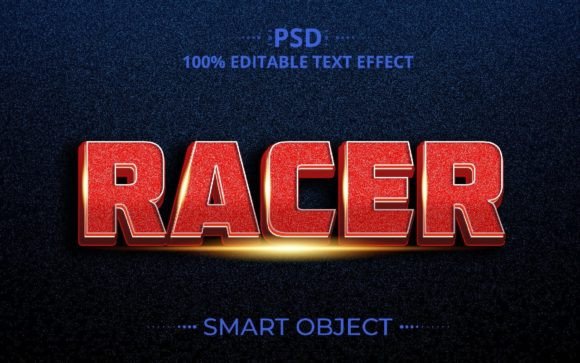
Racer 3D PSD Creative Text Effect Design
If you're looking for a way to add a bold and dynamic look to your text, the Racer 3D PSD Creative Text Effect Design could be just what you need. This design offers a unique 3D text effect that can elevate any project, from social media posts to marketing materials. With its fully editable features, it's perfect for both beginners and experienced designers.
What Is Racer 3D PSD Creative Text Effect Design?
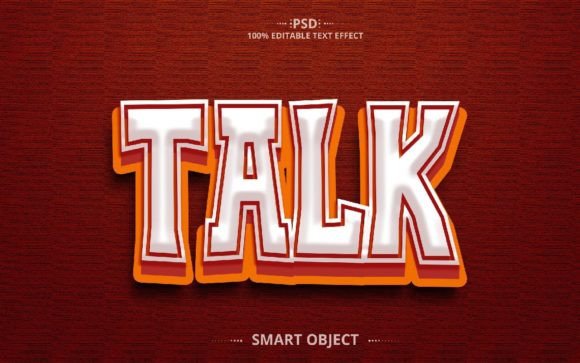
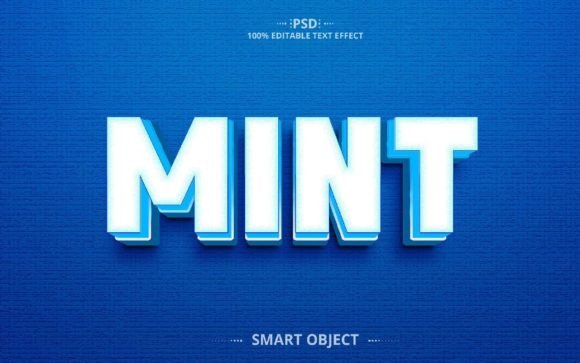
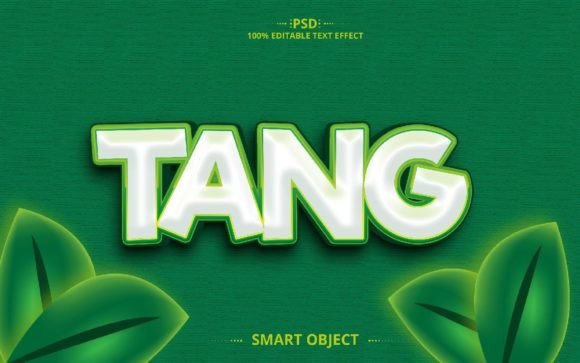
The Racer 3D PSD Creative Text Effect Design is a digital file that allows users to create eye-catching 3D text effects. It comes in a Photoshop (PSD) format, making it easy to edit and customize. The design includes a smart object layer, which means you can change the text without affecting the overall style. This makes it incredibly versatile for different projects and creative needs.
One of the standout features of this design is that it’s 100% editable. You can type in any text you want and instantly see how it looks with the 3D effect. Whether you’re creating a logo, a poster, or a website header, this tool gives you the flexibility to make it your own.
Key Features of the Racer 3D Text Effect
- 1 PSD File: The main design file that contains all the layers and elements needed for the 3D text effect.
- 1 JPEG File: A ready-to-use image that you can download and use immediately without needing Photoshop.
- Resolution: 2000×1250 pixels at 300dpi, ensuring high-quality output for both digital and print use.
- RGB Color Mode: Ideal for digital projects, providing vibrant and accurate colors.
- Well-Organized Layers: Each element is clearly labeled, making it easier to navigate and edit the design.
- Smart Object Layers: Allow for easy adjustments and modifications without losing quality.
These features make the Racer 3D Text Effect Style an excellent choice for anyone looking to create professional-looking designs quickly and efficiently.
Why Choose Racer 3D PSD Creative Text Effect Design?
There are several reasons why someone might choose the Racer 3D PSD Creative Text Effect Design. For starters, it’s a time-saver. Instead of spending hours trying to recreate a 3D text effect from scratch, you can use this pre-designed file and customize it to fit your needs. This is especially useful for busy professionals, entrepreneurs, or students who need to produce high-quality work on a tight schedule.
Another advantage is the ease of use. Even if you’re new to Photoshop, the well-organized layers and smart objects make it simple to adjust the text and other elements. You don’t need advanced design skills to get great results with this tool.
Additionally, the Racer 3D Text Effect is highly customizable. You can change the color, font, and layout to match your brand or personal style. This makes it suitable for a wide range of applications, including social media graphics, website banners, business cards, and more.
Where Can You Use This Text Effect?
The Racer 3D PSD Creative Text Effect Design is ideal for a variety of uses. Here are some examples:
- Social Media Posts: Create attention-grabbing headlines for Instagram, Facebook, or Twitter.
- Marketing Materials: Use it in brochures, flyers, or email campaigns to make your message stand out.
- Website Design: Add a 3D text effect to your site’s header or call-to-action buttons.
- Print Projects: Use the high-resolution JPEG file for business cards, posters, or signage.
- Personal Projects: Customize it for a birthday card, photo album, or DIY craft.
Whether you're a small business owner, a marketer, or a creative professional, this design can help you achieve a polished and professional look without the need for complex design software.
Considerations Before Using Racer 3D Text Effect
Before diving into using the Racer 3D Text Effect, there are a few things to keep in mind. First, ensure that you have access to Adobe Photoshop or a compatible program that can open PSD files. If you're not familiar with Photoshop, you may need to spend some time learning the basics to make the most of this tool.
Also, consider the purpose of your project. While the Racer 3D Text Effect is versatile, it may not be the best choice for every situation. For example, if you're creating something minimalistic or subtle, a simpler text style might be more appropriate.
Finally, take the time to explore the features of the design. Understanding how the smart object layers work can save you time and frustration later on. If you ever need help, the creator offers support through their Graphic River profile, so don't hesitate to reach out if you have questions.
How to Get Started
To start using the Racer 3D PSD Creative Text Effect Design, simply download the file and open it in Photoshop. From there, you can edit the text, adjust colors, and experiment with different layouts. The included JPEG file is also a great option if you prefer a quick and easy solution without the need for editing.
Once you’ve customized the design to your liking, you can export it in various formats for different uses. Whether you’re sharing it online or printing it out, the high-resolution file ensures that your design looks sharp and professional every time.
With its user-friendly design and powerful features, the Racer 3D PSD Creative Text Effect Design is a valuable addition to any designer’s toolkit. Whether you're working on a personal project or a professional assignment, this tool can help you create stunning visuals with ease.